
October 28, 2026 · admin
CRM Automation: How to Connect Your CRM to Marketing and Sales Workflows
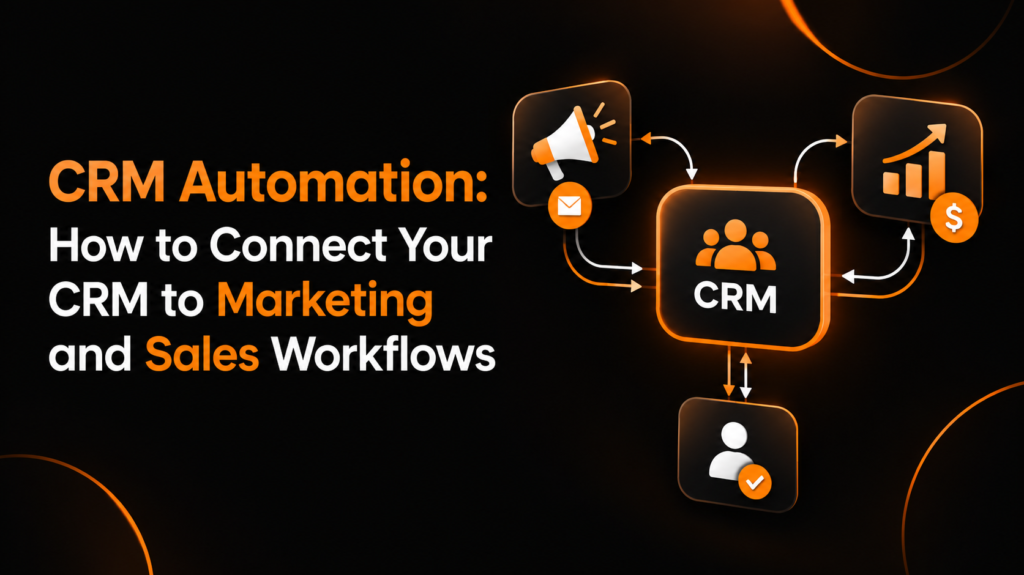
CRM automation helps businesses connect customer relationship management systems with marketing platforms, sales tools, and communication channels. Instead of manually transferring information between systems, businesses can automatically update contact records, track customer activity, assign leads, and trigger follow-up actions.
When these systems work together, marketing teams can understand how leads interact with campaigns, while sales teams can see which prospects are ready for a conversation. This creates a smoother customer journey and reduces the risk of losing valuable leads between departments.
However, successful CRM automation involves more than connecting two applications. Businesses must decide which data to synchronize, define clear workflow rules, map fields correctly, and test the entire process before relying on it.
What Is CRM Automation?
CRM automation is the process of using software and predefined rules to manage repetitive customer relationship tasks. These tasks can include updating contact information, assigning leads, recording sales activities, sending follow-up messages, and notifying sales representatives when a prospect becomes qualified.
For example, when someone submits a form on a website, an automated workflow can create a contact record in the CRM, add the person to an appropriate marketing segment, and assign the lead to a sales representative when specific conditions are met.
This reduces manual work and helps teams respond to potential customers more consistently.
How CRM Automation Connects Marketing and Sales
Marketing and sales teams often use different tools to manage their activities. Marketing platforms track email engagement, campaign responses, and form submissions, while CRM systems typically store customer records, sales opportunities, and communication history.
CRM marketing automation integration connects these activities through shared data and workflow triggers.
A typical process looks like this:
- A prospect submits a website form or downloads a resource.
- The marketing platform captures the prospect’s details and campaign source.
- The CRM creates or updates the contact record.
- Marketing automation sends relevant follow-up messages based on the prospect’s interests.
- When the prospect meets qualification criteria, the CRM updates their lifecycle stage and assigns the lead to sales.
- A sales representative receives a notification and follows up.
- Sales activity and outcomes are recorded for future marketing and reporting decisions.
The result is a connected process rather than separate marketing and sales activities.
What Data Should Sync Between Your CRM and Marketing Tools?
Not every field needs to move between every application. The goal is to synchronize the information that supports segmentation, personalization, lead qualification, sales follow-up, and reporting.
1. Contact Information
Contact information provides the foundation for identifying and communicating with prospects.
Important fields include:
- First name and last name
- Email address
- Phone number, when collected
- Company name
- Job title
- Country or region
- Communication preferences and consent status
Businesses should establish a consistent rule for updating shared fields. For example, if a contact changes their email address through a verified form, the CRM and marketing platform should update the correct record rather than create a duplicate.
Consent and unsubscribe information require particular attention. A contact who opts out of marketing communications should not be added back to an email campaign simply because another system has an outdated subscription status.
2. Lifecycle Stage and Lead Status
Lifecycle stage describes a contact’s position in the customer journey, while lead status often represents the current sales follow-up situation.
Common lifecycle stages include:
- Subscriber
- Lead
- Marketing-qualified lead (MQL)
- Sales-qualified lead (SQL)
- Opportunity
- Customer
Lead statuses may include new, contacted, working, qualified, disqualified, or unresponsive.
These fields should have clearly documented definitions. Otherwise, marketing might classify someone as sales-ready while the sales team considers the same person unqualified.
Define which system controls each field and which events allow it to change. A sales representative’s manual update should not be overwritten by an unrelated marketing automation rule.
3. Marketing and Sales Activity
Activity data helps teams understand what a prospect has done and what should happen next.
Useful information includes:
- Website form submissions
- Email clicks and relevant engagement events
- Content downloads
- Webinar registrations
- Demo requests
- Meeting bookings
- Sales calls and meeting outcomes
- Deal stage changes
Some activity data can be stored as a timestamp, event record, or engagement summary rather than a separate contact field. Choose the approach that fits your reporting requirements and the capabilities of your systems.
Avoid synchronizing every available event without a clear purpose. Excessive data can make CRM records harder to understand and increase integration complexity.
4. Lead Source and Campaign Attribution
Lead source data helps businesses understand which campaigns generate meaningful opportunities and customers.
Consider synchronizing:
- Original lead source
- Latest lead source
- Campaign name or identifier
- Landing page
- Form name
- UTM source, medium, and campaign values
Preserve original attribution separately from the latest source. If a prospect first discovers your company through organic search and later clicks a paid advertisement, overwriting the original source can distort acquisition reporting.
How to Set Up CRM Automation Between Marketing and Sales
A reliable integration begins with a clear process, not a software connection alone.
Step 1: Define Your Workflow Requirements
List the tasks you want to automate and identify the business outcome for each one.
For example, a workflow might create a CRM contact after a demo request, notify the sales team, and start an appropriate follow-up sequence.
Document the trigger, required data, conditions, resulting action, and responsible team. This makes it easier to select the right integration method and identify missing requirements.
Step 2: Choose the Integration Method
Depending on your tools, you may be able to connect applications through a native integration, an automation platform, an API, or a custom integration.
Native integrations are often a practical starting point because they provide predefined connections. Automation platforms can connect applications that do not have a suitable native integration. APIs offer greater flexibility when workflows require custom logic or more detailed control.
Evaluate field support, synchronization frequency, error handling, permissions, and maintenance requirements before choosing a method.
Step 3: Map the Fields
Field mapping defines which information in one application corresponds to a field in another. It prevents values from being stored in the wrong place or interpreted differently across systems.
For example, a marketing platform might use a field called “Company,” while the CRM uses “Company Name.” Both may represent the same information.
A field-mapping table helps document these relationships before synchronization begins.
| Source field | CRM field | Mapping rule |
|---|---|---|
| Normalize case and validate format | ||
| First Name | First Name | Trim unnecessary spaces |
| Company | Company Name | Match the correct text field |
| Lifecycle Stage | Lifecycle Stage | Map approved values consistently |
| Original Source | Original Lead Source | Preserve the first recorded source |
| Marketing Consent | Email Subscription Status | Respect consent and unsubscribe changes |
| Demo Request | Latest Activity | Record the event or its timestamp |
The mapping should also define how blank values, conflicting updates, invalid values, and duplicate contacts are handled.
Step 4: Define Triggers and Workflow Rules
Triggers determine when automation starts. Conditions determine which contacts qualify, and actions specify what happens next.
For example:
- Trigger: A prospect submits a demo request.
- Condition: The email address is valid and the contact is not already assigned.
- Action: Create or update the CRM contact.
- Action: Assign the lead based on territory or company size.
- Action: Notify the assigned sales representative.
- Action: Record the submission source and timestamp.
Add safeguards against repeated triggers. A contact updating the same form twice should not necessarily generate duplicate records or multiple notifications.
Step 5: Configure Sync Direction and Conflict Rules
Some fields should synchronize in one direction, while others may require bidirectional synchronization.
Marketing engagement events, for example, may flow into the CRM, while sales qualification decisions may flow back into the marketing platform.
For each field, decide which system is authoritative. If both systems can update a field, define how conflicts are resolved using timestamps, source priority, or a controlled review process.
Step 6: Test Before Launching
Use test contacts and realistic scenarios to confirm that records are created correctly, updates reach the intended destination, and workflow actions happen only when expected.
Testing should include normal situations as well as errors, duplicate submissions, missing fields, and changes to consent status.
Do not rely on a successful connection message as proof that the entire workflow works correctly.
Common CRM Integration Errors and How to Prevent Them
Duplicate Contact Records
Duplicates often occur when matching rules are weak or integrations create new records instead of updating existing ones.
Use a reliable identifier, usually a validated email address or a stable CRM record ID. For businesses where multiple people share an email address or contacts frequently change addresses, additional matching rules may be necessary.
Test both new-contact creation and existing-contact updates.
Incorrect Field Mapping
A field-mapping error can place company information in the wrong field, overwrite a lead source, or cause lifecycle stages to become inconsistent.
Compare source and destination fields before enabling synchronization. Check data types, permitted values, required fields, and formatting rules.
Overwriting Valuable Data
Bidirectional synchronization can cause unexpected changes when two systems contain different values.
Define ownership for important fields and establish explicit conflict rules. Avoid allowing blank values or outdated records to overwrite verified information without a clear reason.
Delayed or Failed Synchronization
Some integrations synchronize in batches rather than instantly. Others may fail because of expired credentials, API limits, validation errors, or temporary service interruptions.
Monitor synchronization logs, configure failure notifications where supported, and establish a process for retrying failed records. If immediate follow-up is essential, confirm that the integration’s actual synchronization frequency meets that requirement.
Broken Lead Handoffs
A lead may qualify in marketing but never reach the correct sales representative because assignment rules are incomplete or notifications fail.
Define the qualification criteria, routing rules, required CRM fields, and fallback owner. Record when the lead was assigned and whether the handoff was completed.
Incorrect Consent and Unsubscribe Handling
Outdated consent data can cause marketing messages to be sent to contacts who have opted out.
Treat consent as a critical data field, establish reliable synchronization rules, and test unsubscribe events in both directions where appropriate. Follow the applicable privacy and marketing regulations for your business and audience.
CRM Automation Testing Checklist
Before launching your workflows, use this checklist to verify the integration from end to end.
Test contact creation from every important lead source.
Confirm existing contacts are updated rather than duplicated.
Verify field mapping, data types, and formatting.
Check lifecycle stage and lead status transitions.
Confirm original and latest lead sources remain accurate.
Test marketing engagement and sales activity synchronization.
Verify lead assignment and sales notifications.
Test blank fields, invalid values, and conflicting updates.
Confirm unsubscribe and consent changes are respected.
Test duplicate submissions and repeated workflow triggers.
Check synchronization logs and failure alerts.
Verify reporting reflects the same definitions across teams.
Document ownership, troubleshooting steps, and ongoing monitoring.
After launch, review integration performance regularly. Track failed syncs, duplicate rates, lead response times, assignment errors, and the number of leads that progress from marketing qualification to sales follow-up.
How to Measure the Success of CRM Automation
A connected workflow should produce measurable operational improvements.
Lead Response Time
Measure the time between a qualifying action, such as a demo request, and the first meaningful sales response. Faster routing can reduce unnecessary delays, although results also depend on sales capacity and follow-up practices.
Data Accuracy
Monitor duplicate contacts, missing required fields, failed updates, and inconsistencies between systems. These metrics indicate whether the integration is maintaining trustworthy records.
Lead Handoff Completion
Measure how many qualified leads are successfully assigned and accepted by sales within the expected timeframe. Investigate records that remain unassigned or untouched.
Marketing-to-Sales Conversion
Compare conversion rates between lifecycle stages, such as MQL to SQL and SQL to opportunity. Use consistent qualification definitions and attribution rules so the results are meaningful.
Workflow Reliability
Track successful executions, failed runs, retries, and recurring integration errors. Reliable automation should be monitored continuously rather than assumed to work indefinitely.
Build Better Marketing and Sales Workflows With Fixody
Connecting your CRM with marketing and sales tools can help your business reduce repetitive work, maintain more accurate customer data, and create a smoother lead handoff process.
The most effective approach starts with clearly defined workflows, consistent field mapping, sensible synchronization rules, and thorough testing. Once the foundation is reliable, you can expand automation to support lead nurturing, customer segmentation, reporting, and other growth activities.
Fixody helps businesses explore practical marketing automation strategies that align technology with their growth goals. Visit Fixody to learn more about building more connected and effective marketing workflows.
Frequently Asked Questions
What is CRM automation?
CRM automation uses software and predefined rules to automate customer relationship tasks, including contact updates, lead assignment, follow-up notifications, and sales activity tracking.
How does CRM marketing automation integration work?
It connects a CRM with marketing platforms so contact details, lifecycle stages, campaign information, and relevant engagement events can be shared according to defined synchronization rules.
What data should synchronize between a CRM and marketing platform?
Common data includes contact information, lifecycle stage, lead status, marketing consent, campaign attribution, form submissions, engagement events, and relevant sales activities.
What is lead handoff automation?
Lead handoff automation transfers qualified prospects from marketing to sales using defined qualification criteria, assignment rules, and notifications. It helps reduce delays and makes responsibility for follow-up clearer.
How do you test a CRM integration?
Test contact creation, existing-record updates, field mapping, duplicate handling, lifecycle transitions, consent changes, lead assignment, error recovery, and reporting. Use test records before enabling the workflow for real contacts.
What are the most common CRM integration problems?
Common problems include duplicate records, incorrect field mapping, conflicting updates, delayed synchronization, failed notifications, inconsistent lifecycle stages, and incorrect consent handling.
Can CRM automation improve marketing and sales alignment?
Yes. Shared customer data, consistent lifecycle definitions, automated lead routing, and visible sales activity can help both teams coordinate their work and measure performance using more consistent information.