October 18, 2026 · admin
Email Marketing Automation: AI-Powered Flows That Nurture Leads on Autopilot
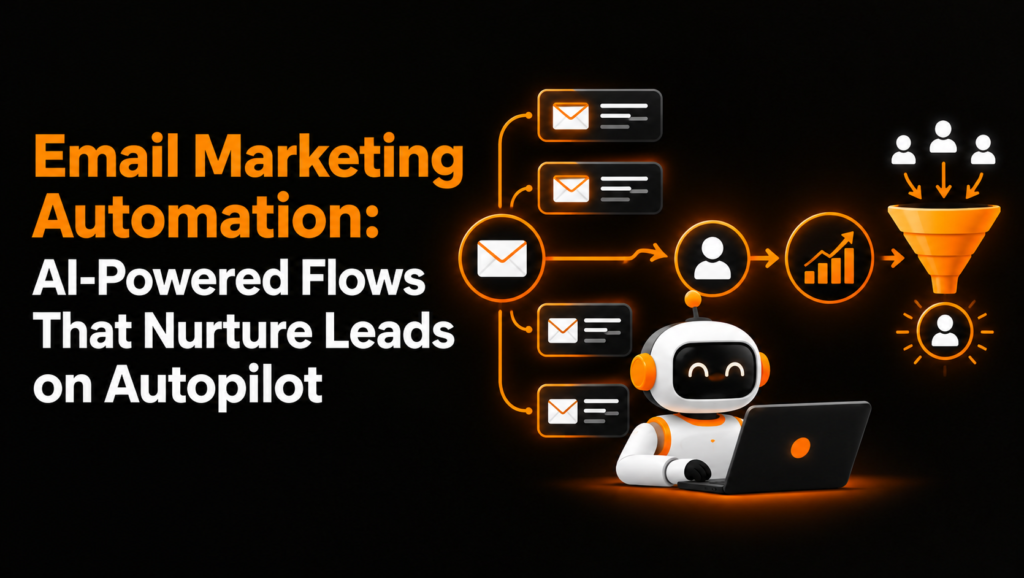
Email marketing remains a practical way for businesses to build relationships with prospects, answer questions, and encourage customers to take the next step. However, manually sending every follow-up becomes difficult as contact lists grow and customer journeys become more complex.
Email Marketing Automation solves this challenge by delivering relevant messages automatically in response to subscriber actions, customer information, and predefined schedules. With artificial intelligence (AI), businesses can go beyond basic scheduled emails to personalize content, predict engagement patterns, and improve the timing of their campaigns.
Instead of treating every subscriber the same, businesses can create automated email sequences that respond to where each person is in the customer journey. A new subscriber might receive a welcome series, a potential customer might receive educational resources, and an inactive contact might receive a carefully planned re-engagement campaign.
This guide explains five essential email automation flows, how to time each message, where AI improves campaign performance, and how to build a workflow that nurtures leads with less manual effort.
What Is Email Marketing Automation?
Email Marketing Automation is the process of sending emails automatically when specific events, conditions, or scheduled intervals occur. These events can include subscribing to a mailing list, requesting a consultation, downloading a resource, purchasing a product, or becoming inactive.
A marketing automation platform uses triggers, conditions, and actions to determine which email a contact receives and when it should arrive.
For example, when someone downloads a business guide, the system can immediately send the resource, follow up with related educational content two days later, and offer a consultation the following week if the person demonstrates interest.
Traditional email campaigns usually send the same message to a selected audience at a scheduled time. Automated workflows, by contrast, respond to individual actions and can adjust the next step based on recipient behavior.
How Automated Email Sequences Work
Most automated email workflows contain five basic components:
- Trigger: The action that starts the workflow, such as a signup or inquiry.
- Audience conditions: Rules that determine who qualifies for the sequence.
- Email content: The message, subject line, links, and call to action.
- Timing and branching: Delays and conditional paths that control what happens next.
- Performance tracking: Metrics that show whether the workflow is achieving its goal.
These components work together to create consistent communication without requiring someone to send each message manually.
Why Businesses Need Automated Email Marketing
Automation helps businesses maintain consistent communication while making better use of customer and lead data.
Reduce Manual Follow-Up
Sales and marketing teams often spend valuable time writing repetitive emails, reminding prospects about consultations, and checking which contacts need attention.
Automated workflows handle these routine tasks. Teams can concentrate on sales conversations, strategy, and customer relationships rather than repeatedly sending the same messages.
Deliver More Relevant Content
A subscriber interested in one service may not respond to content about another. Automated lead nurturing allows businesses to organize contacts by interests, actions, lifecycle stage, and stated preferences.
This creates opportunities to deliver useful information instead of sending every subscriber an identical sequence.
Improve Lead Nurturing
Many prospects need time to research options, compare providers, or understand a service before making a decision. Automated email sequences keep the business visible throughout that process.
Educational messages can answer common questions, explain benefits, address objections, and invite interested prospects to take the next step.
Create More Consistent Customer Journeys
Automation helps businesses deliver timely communication at important moments, from the first subscription to a consultation request and eventual customer re-engagement.
When workflows include clear entry rules and exit conditions, contacts are less likely to receive irrelevant follow-ups after they have already converted or changed their preferences.
The Five Essential Email Marketing Automation Flows
The most effective starting point is to build a small set of workflows around clear customer needs. The following five flows cover the key stages of acquiring, educating, converting, and retaining subscribers.
1. Welcome Email Flow
A welcome flow introduces your business immediately after someone subscribes, registers, or requests a resource. It establishes expectations and gives the new contact a useful reason to engage with your next message.
Recommended timing and example subject lines:
- Immediately: “Welcome to [Brand] — Here’s What to Expect”
- Day 2: “Start Here: A Guide to Getting More From [Topic]”
- Day 4 or 5: “Three Ways to Solve [Customer Problem]”
- Day 7: “Ready for the Next Step?”
The first email should confirm the subscription or deliver the promised resource. The second can explain your approach, while the third offers useful guidance related to the subscriber’s interests. The final email can invite the reader to book a consultation, explore a service, or access a relevant resource.
Keep the sequence focused rather than turning every email into a sales pitch. A new subscriber should understand who you are, what they can expect, and how your business can help.
Where AI helps: AI can recommend relevant educational content based on signup source, stated interests, and previous engagement. It can also test subject-line variations and identify which messages are more effective for different audience segments.
2. Educational Lead Nurturing Flow
Educational sequences help prospects understand a problem and evaluate possible solutions before they are ready to buy. They are particularly useful for services with longer sales cycles or decisions that require research.
Recommended timing and example subject lines:
- Day 1: “What You Should Know About [Topic]”
- Day 3: “Five Common Mistakes to Avoid”
- Day 6: “How to Choose the Right Solution”
- Day 10: “A Practical Checklist for Your Next Step”
- Day 14: “Would a Personalized Recommendation Help?”
Start with an explanation of the prospect’s problem, then provide practical advice, answer common objections, and explain the available solutions. Where appropriate, include a case study, checklist, or comparison guide.
The purpose is to help subscribers make informed decisions. A call to action might encourage them to read a related article, review a service page, or request an assessment.
Where AI helps: AI can recommend the next piece of content based on the subscriber’s interests, previous clicks, and lifecycle stage. A reader who repeatedly explores pricing information may need a comparison guide, while someone engaging with introductory material may benefit from a foundational resource.
This makes educational email drip campaigns more relevant without requiring marketers to manually create a separate sequence for every contact.
3. Re-Engagement Email Flow
Some subscribers gradually stop interacting with emails. A re-engagement flow gives them a reason to return while helping businesses identify contacts who are no longer interested.
Define inactivity according to your normal sending frequency and sales cycle. For some businesses, 30 days without meaningful engagement may justify a review; others may need a longer period.
Recommended timing and example subject lines:
- After 30–60 days of inactivity: “Still Interested in [Topic]?”
- Three to five days later: “Here’s Something Useful You May Have Missed”
- Seven days later: “Would You Like to Update Your Email Preferences?”
These intervals are starting points, not universal rules. Adjust them to match your audience and normal email cadence.
The first message can offer a useful article, resource, or update. The second can highlight content relevant to the contact’s previous interests. The final message can provide an easy way to change email preferences or stop receiving marketing messages.
Avoid sending repeated messages solely to generate opens. The goal is to establish whether the subscriber still wants to hear from your business.
Where AI helps: Predictive models can help identify contacts whose engagement is declining and suggest which content or offers may be more relevant. They can also help distinguish subscribers who occasionally engage from those who have consistently stopped responding.
4. Post-Inquiry Follow-Up Flow
When a prospect fills out a contact form, requests a quote, or books an initial consultation, timely follow-up helps maintain momentum.
A post-inquiry workflow should acknowledge the request, provide useful information, and make the next step clear. It should also recognize when a human sales representative needs to take over.
Recommended timing and example subject lines:
- Immediately: “We’ve Received Your Request”
- After 1 day: “Here’s What Happens Next”
- After 3 days: “Answers to Common Questions About [Service]”
- After 5–7 days: “Would You Like Help With Your Next Step?”
The initial message should confirm receipt and explain when the prospect can expect a response. The next email can share a preparation checklist, relevant case study, or answers to common questions.
If the contact books a meeting, replies to the email, or becomes a qualified opportunity, the workflow should stop or change accordingly. High-intent inquiries may need an immediate human response rather than several automated emails.
Where AI helps: AI can assist with lead scoring by evaluating appropriate behavioral and firmographic signals, such as service-page engagement, stated needs, and form responses. The system can then prioritize promising leads for sales review.
AI can also suggest relevant follow-up resources, but important customer commitments and sales messages should remain subject to appropriate human oversight.
5. Win-Back Email Flow
A win-back flow targets former customers or subscribers who have not purchased, renewed, or used a service for a defined period. Unlike general re-engagement, this sequence focuses on rebuilding a relationship that already exists.
Recommended timing and example subject lines:
- After 60–90 days of inactivity, where appropriate: “Can We Help You Again?”
- Four days later: “What’s New Since Your Last Visit?”
- Seven days later: “A Better Fit for Your Current Needs?”
- Optional final email: “Would You Like to Stay Connected?”
The appropriate inactivity period depends on the business. A subscription service might start a win-back flow shortly after a renewal is missed, while a business selling infrequently purchased services may need to wait several months.
Use customer history to make the message relevant. A former customer may appreciate an update about a service improvement, a helpful maintenance guide, or an option that better matches their current needs.
A discount can be appropriate in some situations, but it should not be the default. Useful information, improved service, or a simpler way to return may be more effective.
Where AI helps: AI can help predict which former customers are more likely to return and recommend relevant content or offers. It can also support segmentation by previous purchases, engagement history, and customer preferences.
Respect opt-outs and suppress contacts who should no longer receive marketing emails. A win-back campaign should rebuild relationships, not pressure uninterested recipients.
Email Marketing Automation Flow Diagram
The following diagram shows how the five workflows can fit into a broader customer journey. In practice, contacts may enter different flows based on their actions rather than following every stage in a fixed order.
New Subscriber or Prospect
          |
          v
     Welcome Flow
          |
          v
  Educational Nurturing
          |
          v
   Inquiry or High Intent?
       /           \
     Yes            No
      |              |
      v              v
Post-Inquiry      Continue Relevant
   Follow-Up      Educational Content
      |
      v
 Qualified Lead or Customer
      |
      v
Customer Becomes Inactive?
          |
          v
     Win-Back Flow

Inactive Subscribers
          |
          v
   Re-Engagement Flow
          |
          v
Re-engaged? --> Resume Relevant Emails
          |
         No
          v
 Respect Preferences and Suppress
       Where Appropriate
Each flow should have a defined trigger, a clear goal, and an exit condition. This prevents contacts from receiving conflicting messages when they move between stages of the customer journey.
How AI Improves Email Marketing Automation
Traditional automation follows rules that marketers define in advance. AI email marketing can add a layer of prediction and content selection by learning from available data.
AI does not replace the need for a good strategy. Its value comes from helping businesses make more informed decisions about which message to send, when to send it, and which audience should receive it.
AI-Powered Send-Time Optimization
A fixed schedule might send every email at 9 a.m. on a weekday. However, subscribers have different routines, time zones, and engagement patterns.
Send-time optimization uses historical interaction data to estimate when individual recipients are most likely to engage. Depending on the platform, this can allow messages to be delivered at different times instead of using a single schedule for everyone.
For example, one subscriber may consistently engage during the morning, while another responds more often in the evening. An AI-enabled platform can use these patterns to recommend or select more suitable delivery windows.
Send-time predictions work best when enough reliable engagement data is available. For new contacts, the system may need to use general timing rules until more information is collected.
AI-Driven Content Selection
Content selection helps determine which message, resource, product, or call to action is most relevant to a recipient.
An AI-enabled workflow might recommend a beginner’s guide to a new subscriber, a comparison article to someone researching solutions, or an advanced resource to a returning customer.
Generative AI can also help draft subject lines, create copy variations, and adapt messaging for different segments. Marketers should review the results for factual accuracy, brand consistency, clarity, and appropriate tone before sending.
Smarter Segmentation and Lead Scoring
Basic segmentation uses rules such as location, subscription date, or service interest. AI can identify more complex patterns across permitted customer and engagement data.
For example, a lead who repeatedly visits a service page, clicks a pricing guide, and submits a detailed inquiry may warrant a higher sales priority than someone who has only subscribed to a newsletter.
Lead scores should be treated as decision-support signals rather than definitive measures of buying intent. Teams should validate whether those scores actually correspond to meaningful outcomes.
Continuous Testing and Optimization
AI can help identify promising subject lines, content variations, audience segments, and delivery times. Automated testing can make it easier to evaluate these options at scale.
However, businesses still need a reliable testing process. Use a control or comparison group where practical, avoid changing too many variables simultaneously, and evaluate conversions alongside engagement metrics.
An email that generates many clicks but few qualified inquiries may be less valuable than a message that attracts a smaller, more relevant audience.
Personalization: Making Automated Emails Feel Relevant
Automation determines when a message is sent; personalization determines how relevant that message feels to the recipient.
Effective personalized marketing uses information that people have shared or that the business is appropriately permitted to use. This might include stated interests, service preferences, purchase history, or interactions with previous emails.
Practical Ways to Personalize Email Content
- Use the recipient’s name where it feels natural and the data is reliable.
- Adapt educational content to the subscriber’s stated interests.
- Recommend resources that match the person’s stage in the buying journey.
- Adjust calls to action according to intent, such as reading a guide or requesting a consultation.
- Respect contact preferences and avoid using personal details in ways recipients would find surprising.
Personalization should provide genuine value rather than simply inserting a name into a generic message.
For more detail, link this section to Fixody’s relevant article on personalized marketing, AI-powered personalization, or customer journey personalization. Use the existing article URL that best matches the topic.
Best Practices for Building Automated Email Sequences
Start With One Clear Goal Per Flow
Every workflow should have a primary objective. A welcome series may aim to introduce the brand, while a post-inquiry sequence may help qualified prospects take the next step.
Avoid mixing too many goals into one sequence. A clear purpose makes it easier to choose the content, calls to action, and performance metrics.
Set Entry Rules and Exit Conditions
Define which contacts can enter each workflow and which actions should remove them. For example, a prospect who books a consultation should no longer receive emails asking them to book their first consultation.
Check for overlapping sequences, duplicate messages, and conflicts with sales outreach.
Use Data Responsibly
Collect only the information needed to deliver relevant communication. Follow applicable privacy and email marketing requirements, use appropriate consent practices, identify your business clearly, and provide a working unsubscribe mechanism where required.
AI tools should operate within these same standards. More personalization is not a reason to ignore customer expectations or data protection obligations.
Test Before Launching
Send test emails to verify subject lines, links, formatting, personalization fields, mobile display, timing, and workflow conditions.
Check what happens when a recipient purchases, replies, unsubscribes, or enters another automation. A workflow should respond correctly to these events before it goes live.
Review Performance Regularly
Monitor the results of each email and the overall workflow. Look for points where engagement drops, recipients leave the sequence, or leads stop progressing.
Update the workflow based on evidence rather than assuming an automated sequence will remain effective indefinitely.
How to Measure Email Marketing Automation Performance
The right metrics depend on the objective of each workflow.
- Delivery rate: Shows how successfully emails reach recipient mail servers.
- Click-through rate: Measures how often recipients click links in a message.
- Conversion rate: Tracks desired actions, such as booking a consultation, requesting a quote, or completing a purchase.
- Unsubscribe rate: Helps identify whether the content or frequency is causing unwanted communication.
- Qualified lead rate: Measures the proportion of contacts who meet the business’s lead qualification criteria.
- Revenue or pipeline contribution: Connects email activity to commercial outcomes where reliable tracking is available.
- Re-engagement rate: Shows how many previously inactive contacts return to meaningful activity.
Open rates can provide directional insight, but privacy features and automated image loading can make them unreliable as a standalone measure of success.
Use consistent attribution rules and compare results with a suitable baseline. Track each workflow separately so you can determine whether the welcome series, educational sequence, or win-back campaign is contributing to your goals.
Common Email Marketing Automation Mistakes to Avoid
Even well-designed automation can underperform when it is built without a clear strategy.
Sending too many emails: Excessive frequency can lead to unsubscribes and reduced engagement. Set a reasonable cadence and consider how multiple workflows overlap.
Using generic content: A sequence that ignores customer needs may feel irrelevant. Use meaningful segments and content that matches the reason a contact entered the workflow.
Relying on AI without review: AI-generated copy can contain errors, unsupported claims, or messaging that does not match your brand. Review content and test automated decisions before expanding them.
Ignoring inactive contacts: Continuing to email unresponsive contacts indefinitely can harm deliverability. Establish re-engagement rules and suppress contacts when appropriate.
Failing to define conversions: Opens and clicks are not always business outcomes. Set measurable goals and track the actions that matter to your organization.
Neglecting maintenance: Products, services, links, pricing, and business policies change. Review automated emails regularly to keep their information accurate.
Building an Email Marketing Automation Strategy With Fixody
An effective automation strategy combines the right workflows, useful content, responsible data practices, and consistent measurement. Businesses do not need to launch dozens of sequences at once to see value.
Start with the welcome flow and post-inquiry follow-up if your priority is converting new leads. Add educational nurturing when prospects need more information, then introduce re-engagement and win-back campaigns to manage inactive subscribers and former customers.
Once these workflows are performing consistently, use AI features to improve content selection, segmentation, send-time decisions, and testing. Expand only when the available data supports better decisions and the results can be measured.
If your business wants to reduce repetitive marketing tasks while creating more relevant customer journeys, explore Fixody’s relevant marketing automation services and personalization resources. Connect your email strategy with the wider customer journey so that each message supports a meaningful next step.
The goal is not simply to send more emails automatically. It is to deliver the right information at the right moment, build trust over time, and make it easier for interested prospects to become customers.
Frequently Asked Questions
What is Email Marketing Automation?
Email Marketing Automation uses software to send emails automatically based on subscriber actions, customer data, and predefined conditions. It helps businesses nurture leads, personalize communication, and maintain consistent follow-up.
What are the five essential email automation flows?
The five essential flows are welcome emails, educational lead nurturing, re-engagement campaigns, post-inquiry follow-ups, and win-back campaigns. Each supports a different stage of the customer journey.
How does AI improve email marketing automation?
AI can help optimize send times, recommend relevant content, improve audience segmentation, generate email variations, and identify engagement patterns. Results depend on data quality, platform capabilities, and ongoing testing.
How often should automated marketing emails be sent?
Email frequency depends on the workflow, audience expectations, and customer journey. Welcome emails may begin immediately, educational sequences may be spaced over several days, and re-engagement campaigns may require longer intervals.
Can small businesses benefit from email marketing automation?
Yes. Small businesses can automate welcome messages, inquiry confirmations, educational follow-ups, and customer re-engagement without manually sending every email. Starting with a few well-defined workflows makes implementation more manageable.
How do you measure the success of email marketing automation?
Measure delivery, clicks, conversions, qualified leads, unsubscribes, and revenue or pipeline contribution where appropriate. Evaluate each workflow against its primary goal rather than relying on open rates alone.
Is AI email marketing fully automated?
Not necessarily. AI can automate certain decisions and tasks, but businesses still need to define their strategy, review generated content, monitor performance, and maintain appropriate privacy and compliance practices.