October 23, 2026 · admin
Customer Journey Automation: How to Map and Automate Every Touchpoint
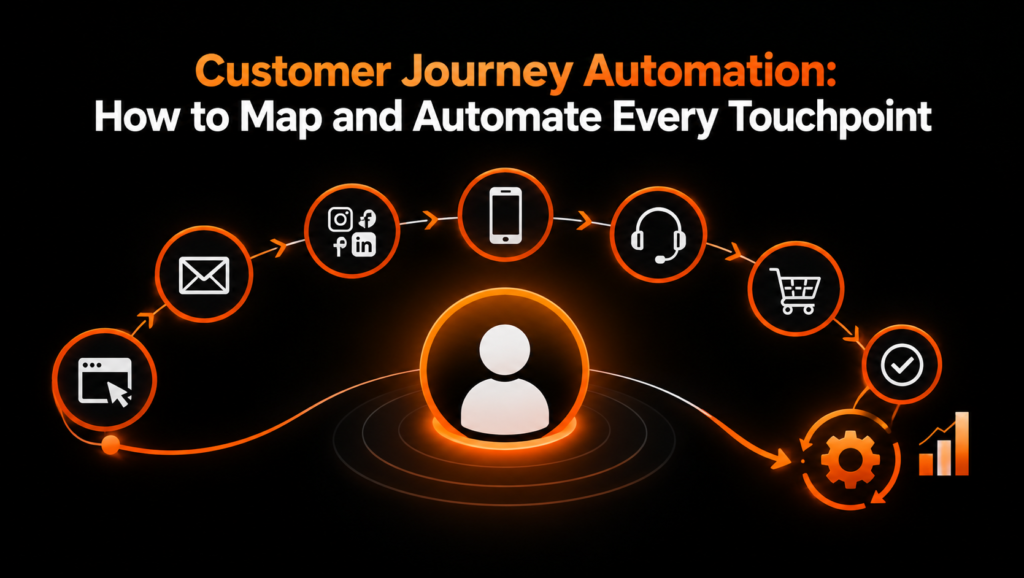
Customer Journey Automation helps businesses deliver the right message, at the right time, through the right channel, based on what a customer does and needs. Instead of relying on manual follow-ups, disconnected marketing campaigns, and repetitive administrative tasks, businesses can build automated workflows that guide prospects from their first interaction to purchase, onboarding, and long-term retention.
However, successful automation requires more than setting up email sequences or scheduling reminders. You first need to understand how customers discover your business, evaluate your services, make decisions, and interact with your team after a purchase.
This guide explains how to map the customer journey, identify important touchpoints, and create an automated customer journey for every lifecycle stage. You will also find a reusable journey-map template and a practical example for a service business.
What Is Customer Journey Automation?
Customer Journey Automation is the process of using software, customer data, and predefined workflows to deliver relevant communications and actions throughout the customer lifecycle.
These workflows respond to customer behaviors, such as visiting a service page, submitting a contact form, booking a consultation, signing a contract, or completing an onboarding task.
For example, when someone downloads a service guide, an automation can send the resource immediately, add the contact to a relevant audience segment, and schedule a follow-up email. If the person subsequently books a consultation, the system can stop promotional messages and trigger appointment reminders instead.
The objective is to make interactions more timely, consistent, and relevant without requiring your team to manage every step manually.
Customer journey automation commonly involves:
- Behavior-based triggers: Actions that start a workflow, such as a form submission or appointment booking.
- Customer segmentation: Grouping contacts according to their interests, behavior, needs, or lifecycle stage.
- Automated communications: Delivering emails, reminders, messages, and other relevant updates.
- CRM integration: Keeping customer information, sales activity, and communication history connected.
- Performance tracking: Measuring engagement, conversion, customer satisfaction, and retention.
When these elements work together, businesses can build a more connected customer experience while reducing repetitive work.
Why Customer Journey Mapping Should Come Before Automation
Customer journey mapping is the process of documenting the steps people take when interacting with your business, from initial awareness through purchase and ongoing customer relationships.
It helps you understand what customers are trying to accomplish, what information they need, where they encounter friction, and which interactions influence their decisions.
Without customer journey mapping, automation can make an inefficient process faster without making it better. For example, sending multiple follow-up emails will not solve a problem caused by confusing pricing, an unclear service offering, or a complicated booking process.
Before automating anything, answer these questions:
- What is the customer trying to achieve at this stage?
- Which touchpoints influence the customer’s next decision?
- What information or assistance does the customer need?
- What action should trigger an automated workflow?
- What should happen if the customer does not respond?
- Which interactions require personal attention from your team?
Use the answers to identify useful automation opportunities instead of automating every possible interaction.
The Five Stages of an Automated Customer Journey
An automated customer journey typically includes awareness, consideration, conversion, onboarding, and retention. Some businesses also track advocacy as a separate stage.
The exact stages depend on your business model, sales cycle, and customer needs. A professional services firm, for example, may require consultations and proposals, while an online subscription business may focus on product trials and account activation.
1. Awareness: Capture Interest and Identify Potential Customers
The awareness stage begins when someone discovers your business through a search engine, social media, an advertisement, a referral, or another channel.
At this point, the person may recognize a problem without fully understanding the available solutions. Your goal is to provide useful information and create an appropriate opportunity for further engagement.
Common touchpoints
- Organic search and educational blog articles
- Social media posts and advertisements
- Landing pages and downloadable resources
- Webinar registrations
- Referral links and partner recommendations
Automation example: Lead magnet delivery
When a visitor submits a form to download a relevant guide, the system automatically delivers the resource, records the contact’s source, and assigns an appropriate interest tag in the CRM.
A follow-up message can then explain a related problem or share another useful resource.
How to implement it
- Create a landing page offering a useful resource.
- Connect the form to your CRM or marketing automation platform.
- Configure a workflow triggered by a valid form submission.
- Deliver the requested resource immediately.
- Apply an interest tag based on the resource or page visited.
- Send a relevant follow-up message after an appropriate interval.
Measure landing-page conversion rate, qualified leads generated, and engagement with the initial follow-up.
Avoid adding contacts to unrelated promotional campaigns without the appropriate permission. Every message should provide value and respect the recipient’s communication preferences.
2. Consideration: Nurture Leads With Relevant Information
During consideration, potential customers compare solutions, investigate providers, evaluate pricing, and decide whether your business can solve their problem.
This stage often benefits significantly from lifecycle marketing automation because prospects may need several interactions before they are ready to speak with sales.
Common touchpoints
- Service and pricing pages
- Case studies and customer testimonials
- Comparison guides
- Consultation booking pages
- Educational email sequences
- Frequently asked questions
Automation example: Behavior-based lead nurturing
Suppose a prospect downloads a marketing guide and later visits your marketing automation service page. Your system can use these interactions to send a relevant case study or invite the prospect to a consultation.
If the prospect books a meeting, the system should remove them from the general nurturing sequence and initiate the appropriate booking workflow.
How to implement it
- Define the main questions prospects ask before purchasing.
- Create educational content that answers those questions.
- Segment contacts by interests, service needs, and engagement.
- Build an email sequence with useful, progressively more specific information.
- Use meaningful behavioral signals to determine the next action.
- Set qualification criteria for passing suitable leads to sales.
- Suppress or adjust messages when a contact books a meeting, opts out, or becomes a customer.
Measure email engagement, qualified lead rate, consultation bookings, and the percentage of nurtured leads that become opportunities.
3. Conversion: Remove Friction From the Buying Process
The conversion stage begins when a prospect is seriously evaluating your offer and ends when the desired transaction or agreement is completed.
At this point, unnecessary delays, missed follow-ups, unclear next steps, and forgotten appointments can prevent otherwise qualified prospects from becoming customers.
Common touchpoints
- Consultation requests
- Discovery calls and sales meetings
- Proposals and quotations
- Contract signing
- Payment and checkout
- Final purchase confirmation
Automation example: Consultation and proposal follow-up
When a prospect books a consultation, an automated workflow sends a confirmation, adds the meeting to the appropriate calendar, and schedules a reminder.
After the meeting, the CRM can create a follow-up task for the account owner. If a proposal is sent but remains unanswered, the system can schedule a polite follow-up, provided the communication is appropriate.
How to implement it
- Connect your booking tool, CRM, and calendar.
- Trigger the workflow when a meeting is booked.
- Send confirmation and reminder messages.
- Update the lead’s lifecycle stage when the meeting occurs.
- Create a proposal follow-up task when the sales process requires it.
- Stop sales reminders when the prospect accepts, declines, or requests no further contact.
- Notify the responsible team member when human intervention is needed.
Measure consultation attendance, proposal acceptance rate, time to conversion, and average sales cycle length.
The goal is not to pressure prospects into purchasing. It is to make the buying process easier and ensure that important next steps are not missed.
4. Onboarding: Help New Customers Achieve Their First Success
The customer journey does not end when someone signs a contract or makes a payment. A confusing onboarding process can create uncertainty, delay results, and increase the likelihood of cancellation.
Customer journey automation helps new customers understand what happens next and gives your team a consistent process for delivering the service.
Common touchpoints
- Welcome emails
- Account creation and access instructions
- Intake forms and questionnaires
- Kickoff meetings
- Project timelines
- Training and setup resources
Automation example: New-client onboarding
When a service agreement is signed and the customer record is marked as active, the CRM triggers a welcome email containing the next steps.
The workflow creates an internal project, assigns the account owner, requests the information needed to begin, and schedules a kickoff meeting. If required documents are missing, the system sends a reminder or alerts the responsible team member.
How to implement it
- Define the onboarding steps every new customer must complete.
- Trigger the workflow after the contract or payment is confirmed.
- Send a welcome message with clear instructions.
- Create project tasks and assign owners automatically.
- Request required documents and information.
- Monitor completion of key onboarding milestones.
- Escalate delays that require personal attention.
Measure onboarding completion, time to first value, customer satisfaction, and the number of projects delayed by missing information.
Use automation to organize the process while preserving personal communication where customers need guidance or reassurance.
5. Retention and Advocacy: Build Long-Term Customer Relationships
Retention focuses on helping existing customers continue receiving value from your products or services. Advocacy occurs when satisfied customers voluntarily recommend your business, provide testimonials, or refer other potential customers.
These stages are especially important for subscription businesses, agencies, consultants, and service providers that depend on repeat purchases or long-term relationships.
Common touchpoints
- Progress reports and service reviews
- Renewal reminders
- Customer satisfaction surveys
- Product or service education
- Re-engagement messages
- Feedback and review requests
- Referral opportunities
Automation example: Customer health and renewal workflow
Suppose a customer’s contract is approaching renewal. The CRM can notify the account manager, schedule a review, and send the customer a summary of completed work and upcoming priorities.
If a customer becomes inactive or repeatedly misses important milestones, the system can create a personal outreach task rather than continuing to send generic promotional emails.
After a successful project milestone, you may also invite the customer to share feedback or provide a testimonial, with their consent.
How to implement it
- Define what successful customer engagement looks like.
- Track relevant milestones, renewal dates, and customer activity.
- Schedule service reviews and appropriate renewal reminders.
- Trigger internal alerts when engagement or satisfaction declines.
- Route complaints and sensitive feedback to a real team member.
- Request reviews or referrals at appropriate moments.
- Use customer feedback to improve the overall journey.
Measure renewal rate, repeat purchases, customer satisfaction, churn, and qualified referrals.
Avoid treating every inactive customer as a sales opportunity. Sometimes the right response is support, a service adjustment, or a direct conversation.
Customer Journey Mapping Template
A useful journey map connects each customer stage with its purpose, touchpoints, customer actions, automation triggers, and success metrics.
You can use the following template in a spreadsheet, project management tool, CRM, or automation platform.
| Journey stage | Customer need | Touchpoint | Automation trigger | Automated action | Success metric |
|---|---|---|---|---|---|
| Awareness | Understand a problem | Landing page | Resource form submitted | Deliver resource and tag contact | Lead conversion rate |
| Consideration | Evaluate solutions | Email and service pages | Relevant content engagement | Send targeted educational follow-up | Qualified lead rate |
| Conversion | Choose a provider | Consultation or proposal | Meeting booked or proposal sent | Send reminders and create follow-up tasks | Conversion rate |
| Onboarding | Start successfully | Welcome email and kickoff | Customer status becomes active | Create tasks and request information | Time to first value |
| Retention | Continue receiving value | Review and renewal communication | Review date or renewal approaches | Notify account manager and schedule review | Retention rate |
| Advocacy | Share a positive experience | Feedback or referral request | Appropriate success milestone | Invite feedback or a voluntary referral | Referral rate |
How to Customize the Template
Start by documenting the real customer journey before choosing automation tools.
For each stage, record the following information:
- Customer goal: What the customer wants to accomplish.
- Customer pain point: What may prevent progress.
- Touchpoint owner: The person or system responsible for the interaction.
- Trigger condition: The event that starts the automation.
- Workflow action: The message, task, notification, or system update.
- Exit condition: What stops the workflow or moves the customer to another stage.
- Fallback action: What happens if the automation fails or the customer needs assistance.
- Success metric: The measurable result used to evaluate effectiveness.
Add separate rows for important channels, such as email, website forms, WhatsApp, phone calls, and CRM tasks. This makes it easier to identify disconnected systems and repetitive interactions.
Customer Journey Automation Example for a Service Business
Consider a digital marketing agency that provides SEO, paid advertising, and marketing automation services.
A prospective client discovers an educational article through Google, downloads a lead-generation checklist, and eventually books a strategy consultation. After reviewing a proposal, the client signs an agreement and begins onboarding.
The agency can automate each stage without removing the personal interactions that help build trust.
Step 1: Capture and Qualify the Lead
A visitor downloads a marketing checklist through a website form.
Workflow:
- Send the checklist automatically.
- Add the lead to the CRM.
- Record the original acquisition source.
- Apply a relevant interest tag.
- Send a helpful educational email.
The agency can now understand the prospect’s interests without manually entering the information.
Step 2: Nurture the Prospect
The prospect visits a service page and reads a related case study.
Workflow:
- Send a relevant example of the agency’s work.
- Explain the service and the problems it addresses.
- Invite the prospect to book a consultation.
- Update lead qualification when meaningful engagement occurs.
If the prospect is not ready, the system can continue providing useful information at a reasonable frequency.
Step 3: Book the Consultation
The prospect schedules a strategy call.
Workflow:
- Send a booking confirmation.
- Add the event to the calendar.
- Send a reminder before the meeting.
- Notify the assigned strategist.
- Stop general promotional messages while the sales conversation is active.
This reduces scheduling errors and improves preparation.
Step 4: Manage the Proposal
Following the consultation, the agency prepares a tailored proposal.
Workflow:
- Create a proposal task in the CRM.
- Record the proposal date and expected follow-up date.
- Notify the account owner when follow-up is due.
- Update the lifecycle stage when the prospect accepts or declines.
The account owner remains responsible for meaningful sales conversations and negotiation.
Step 5: Automate Client Onboarding
Once the client signs the agreement, the system changes the contact’s status to customer.
Workflow:
- Send a personalized welcome email.
- Create the project workspace.
- Assign the account manager and delivery team.
- Request access credentials and business information through secure channels.
- Schedule the kickoff meeting.
- Track completion of onboarding tasks.
Sensitive credentials should be collected through an appropriate secure system rather than ordinary email.
Step 6: Monitor Results and Retention
After the agency begins delivering the service, automation keeps the relationship organized.
Workflow:
- Schedule recurring performance reports.
- Notify the account manager when a review is due.
- Track important deliverables and milestones.
- Flag declining engagement or unresolved issues.
- Prepare renewal reminders before the contract ends.
- Invite feedback after meaningful successes.
The result is a connected customer experience from first visit to long-term partnership, with automation supporting the agency’s team at each step.
Tools You Can Use to Automate the Customer Journey
The right technology depends on the number of customers you serve, your existing systems, and the complexity of your workflows
| Tool category | Main purpose | Example tools |
|---|---|---|
| CRM | Store contact data and manage sales stages | HubSpot, Salesforce |
| Email automation | Deliver segmented email sequences | ActiveCampaign, Mailchimp |
| Workflow automation | Connect apps and trigger cross-platform actions | Zapier, Make |
| Booking and scheduling | Manage consultations and reminders | Calendly |
| Customer support | Manage inquiries and service issues | Help Scout, Zendesk |
| Analytics | Measure traffic and conversion behavior | Google Analytics 4 |
These are examples, not a requirement to purchase every tool. Start with the systems you already use and identify the gaps that prevent information from flowing between them.
Before connecting systems, verify that the integrations support the required triggers, fields, consent preferences, and error handling.
Best Practices for Effective Customer Journey Automation
Keep the Customer Experience Personal
Automation should make interactions more relevant, not make your business sound like a machine.
Use customer information to personalize messages appropriately, and let people contact a real team member when they need assistance.
Use Behavioral Triggers Instead of Fixed Schedules Alone
A fixed email sequence can be useful, but customer behavior often provides a better indication of what should happen next.
For example, a prospect who books a consultation should enter a different workflow from someone who has not opened an email in several weeks.
Prevent Conflicting Automations
Multiple workflows can accidentally send duplicate messages or contradictory instructions.
Use clear entry criteria, exit conditions, suppression rules, and lifecycle-stage updates. Test how different workflows interact before deploying them.
Respect Consent and Communication Preferences
Collect only the data you need, explain how it will be used, and follow applicable privacy and marketing requirements.
Maintain unsubscribe and suppression lists, honor channel-specific consent, and avoid sending messages through channels where permission is required but has not been obtained.
Monitor Performance and Improve Continuously
Review workflow performance regularly. Look for delays, failed integrations, unnecessary messages, low engagement, and points where customers abandon the process.
Change one meaningful part of the journey at a time and evaluate the results before expanding the automation.
Common Customer Journey Automation Mistakes to Avoid
Automating before mapping the journey: Document customer needs and identify friction before building workflows.
Sending too many follow-ups: Set reasonable frequency limits and stop messages when the customer’s status changes.
Using generic messages for every customer: Segment by relevant needs and behavior rather than sending the same content to everyone.
Ignoring offline interactions: Record important calls, meetings, and decisions in the CRM so automated systems do not act on outdated information.
Failing to define ownership: Every important workflow should have a responsible person who can investigate failures and handle exceptions.
Measuring activity instead of outcomes: Email sends and workflow counts do not automatically translate into revenue. Track qualified leads, conversions, retention, and customer satisfaction.
Leaving workflows untested: Test normal scenarios, unexpected inputs, duplicate events, opt-outs, and integration failures before launch.
How to Measure the Success of Customer Journey Automation
A well-designed automation program should improve both the customer experience and business performance.
Start with a small set of metrics tied to the stages you automate.
- Lead conversion rate: The percentage of relevant visitors or leads who take the desired next step.
- Lead-to-customer conversion rate: The percentage of leads who become paying customers.
- Time to conversion: The time between a defined starting event and purchase.
- Onboarding completion rate: The percentage of new customers who complete required setup steps.
- Time to first value: How long customers take to experience a meaningful benefit.
- Retention rate: The percentage of customers retained over a defined period.
- Customer satisfaction: Feedback collected through appropriate surveys or other methods.
- Automation error rate: The proportion of workflow executions that fail or require intervention.
Establish a baseline before introducing automation. Compare results over a meaningful period and account for differences in lead quality, sales cycles, and customer segments.
Where possible, use controlled experiments to distinguish the impact of automation from changes in traffic, pricing, or sales processes.
Conclusion
Customer Journey Automation helps businesses coordinate interactions across awareness, consideration, conversion, onboarding, and retention. The most effective approach starts with customer journey mapping, identifies the touchpoints that matter, and introduces targeted automations that address specific customer needs.
Begin with one high-impact workflow, such as lead follow-up, consultation booking, or new-client onboarding. Define the trigger, action, exit condition, owner, and success metric before launching it.
Once that workflow performs reliably, expand to other stages and connect the systems that support the customer relationship.
The goal is not to automate every interaction. It is to make every important interaction more timely, consistent, and useful, while giving your team more time to focus on customer relationships and business growth.
Ready to improve your marketing workflows? Contact Fixody’s marketing automation services and identify opportunities to create a more connected customer journey.
Frequently Asked Questions
What Is Customer Journey Automation?
Customer Journey Automation is the use of software, customer data, and automated workflows to deliver relevant messages and actions at different stages of the customer lifecycle. It helps businesses guide prospects from initial awareness to purchase, onboarding, and long-term retention while reducing repetitive manual tasks.
What Is the Difference Between Customer Journey Mapping and Customer Journey Automation?
Customer journey mapping documents the steps customers take when interacting with a business, including their needs, questions, and challenges. Customer journey automation uses that map to trigger relevant actions, such as sending follow-up emails, scheduling reminders, assigning CRM tasks, or notifying a sales representative.
What Are the Main Stages of an Automated Customer Journey?
The main stages are awareness, consideration, conversion, onboarding, and retention. Advocacy may also be tracked as a separate stage. Each stage serves a different purpose, from attracting potential customers and nurturing leads to delivering value and encouraging long-term relationships.
How Do You Create an Automated Customer Journey?
Start by identifying your target audience and mapping the customer lifecycle. Document important touchpoints, customer needs, and common obstacles. Next, select automation triggers, define the actions that follow each trigger, establish workflow exit conditions, and connect your CRM and marketing tools. Finally, test the workflows and measure their impact on conversion, engagement, and retention.
What Are Examples of Customer Journey Automation?
Common examples include automatically delivering a lead magnet, sending personalized lead-nurturing emails, confirming consultation bookings, reminding prospects about scheduled meetings, onboarding new clients, sending renewal reminders, and requesting customer feedback after a successful project milestone.
Which Tools Are Best for Customer Journey Automation?
The best tools depend on your business requirements and existing technology. CRM platforms such as HubSpot and Salesforce help manage customer data and sales stages. Email marketing platforms support personalized campaigns, while Zapier and Make connect applications and automate cross-platform workflows. Choose tools that integrate with your existing systems and support your privacy requirements.
How Does Customer Journey Automation Improve Lead Conversion?
Customer journey automation helps improve lead conversion by delivering relevant information, following up consistently, and responding to meaningful customer actions. It can also notify sales teams when prospects show buying intent and prevent unnecessary promotional messages after a meeting is booked or a purchase is completed.
Can Small Businesses Benefit From Customer Journey Automation?
Yes. Small businesses can automate repetitive activities such as lead capture, appointment reminders, follow-up emails, customer onboarding, and renewal notifications. Starting with one high-impact workflow can save time, reduce missed opportunities, and improve customer communication without requiring a complex technology stack.
How Do You Measure the Success of Customer Journey Automation?
Measure performance using metrics such as lead conversion rate, lead-to-customer conversion rate, email engagement, consultation attendance, onboarding completion, customer retention, and customer satisfaction. Establish a baseline before implementing automation and compare results over time to determine whether the workflows improve business outcomes.
What Is Lifecycle Marketing Automation?
Lifecycle marketing automation is the use of automated communications and workflows to engage customers throughout their relationship with a business. It includes lead nurturing, purchase-related communication, onboarding, retention campaigns, renewal reminders, and relevant re-engagement activities. Customer journey automation provides the broader framework for coordinating these interactions across different touchpoints.